GS SQL is a purpose-built query language for temporal data. The STREAM table virtually projects across millions of independent time-series structures. Query with familiar SQL syntax extended for temporal range parameters, roll-up statistics, and time zone-aware date functions.
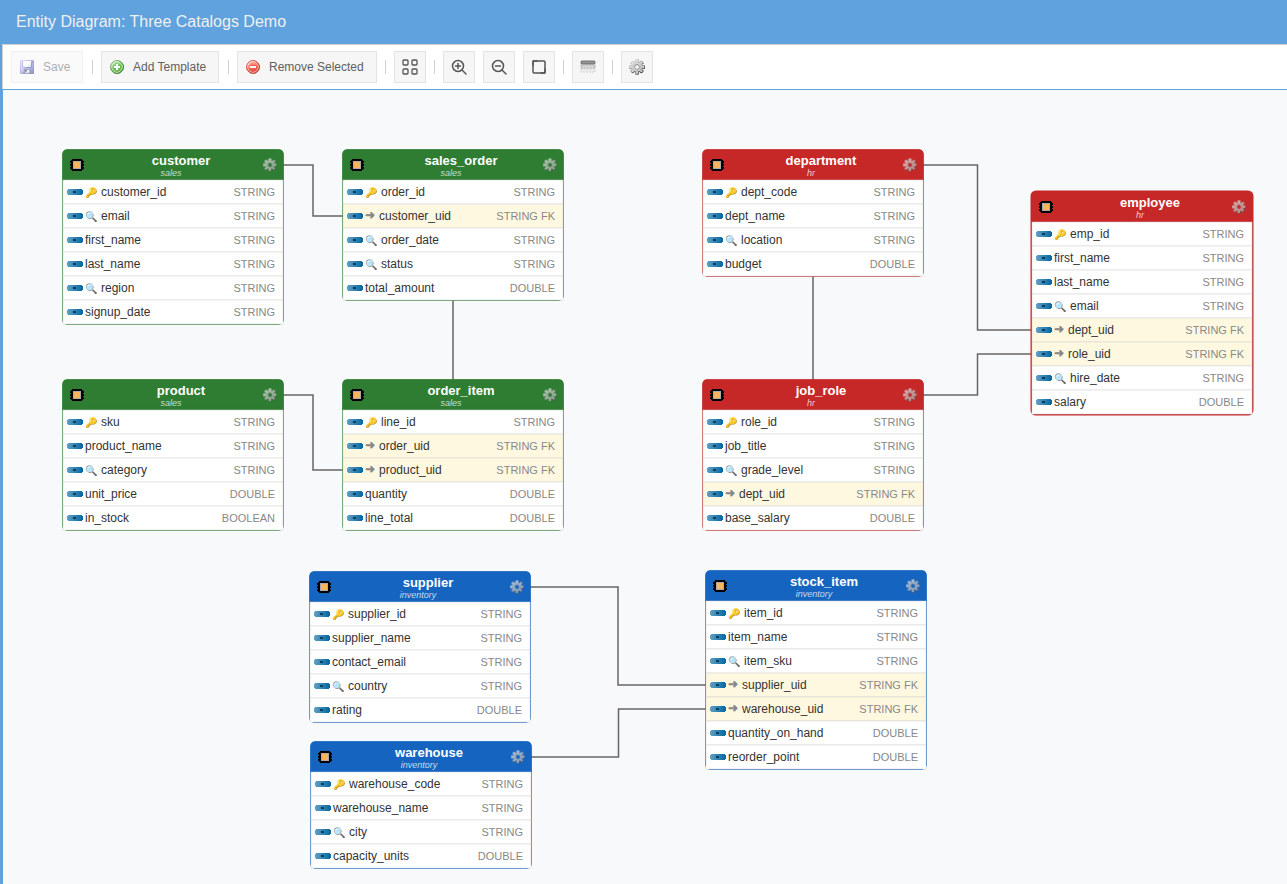
Catalogs — Many Schemas, One Query Language
Tables in GS SQL come from catalogs. The built-in system catalog projects
every stream, sample, event, notification, and job. User catalogs project your component
templates as tables — one catalog per logical schema. Reference any of them by qualified name
(system.stream, employees.salaries) or use the unqualified name when
the default catalog is unambiguous. One language reaches them all.
TDQ™ — Temporal Deep Query
The core system layer. Query the STREAM table, SAMPLE data, ACTIVEEVENT, NOTIFICATION, and JOB tables directly. Full access to every column, every roll-up statistic, every metadata field.
One Table. Every Stream.
The system.stream table virtually projects across every stream in your org —
every component, every property, every relationship. Combine metadata columns
(_component_name, _name, _last_value) with the
_sample() accessor to pull metadata and historical samples in a single query.
Roll-up statistics like CycleId='hour', Stat='avg' are pre-computed and free.
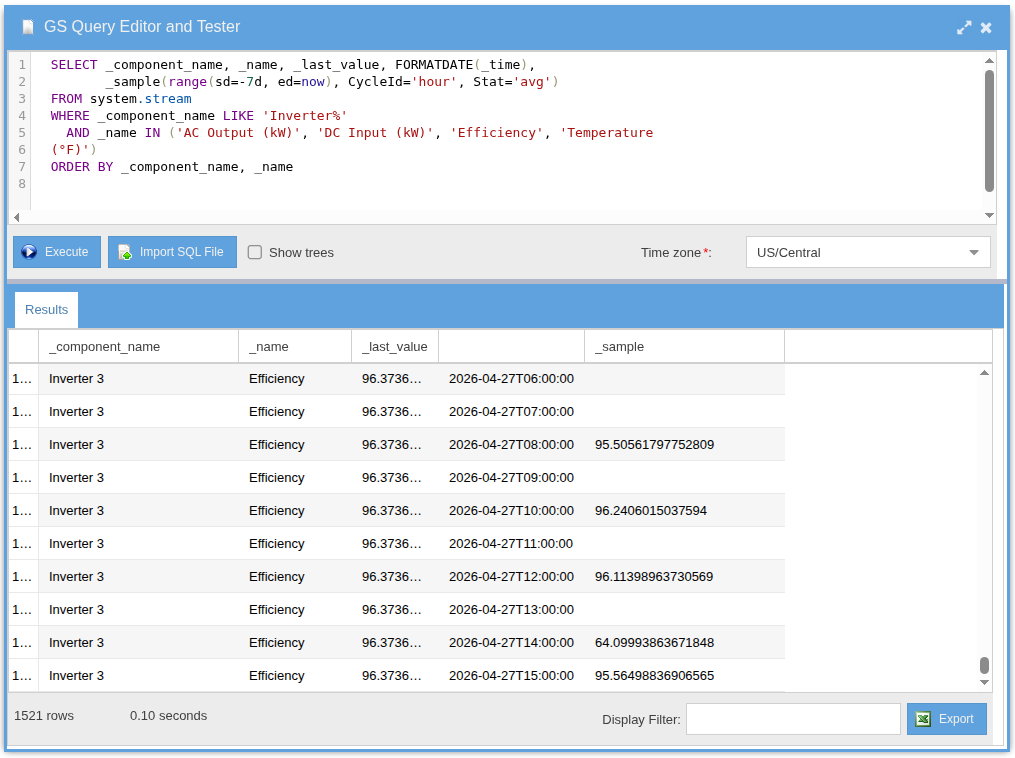
system.stream query returning metadata and a 7-day hourly-average sample for every inverter stream.Temporal Range Parameters
The range() parameter inside _sample() defines the temporal window.
Use range(last=N) for count-based windows, range(sd=…, ed=…)
for time bounds, and add CycleId='hour' | 'day' | 'month' with
Stat='avg' | 'max' | 'min' | 'sum' | 'last' | 'first' to project rollups at
any granularity. One language. Every dimension of time.
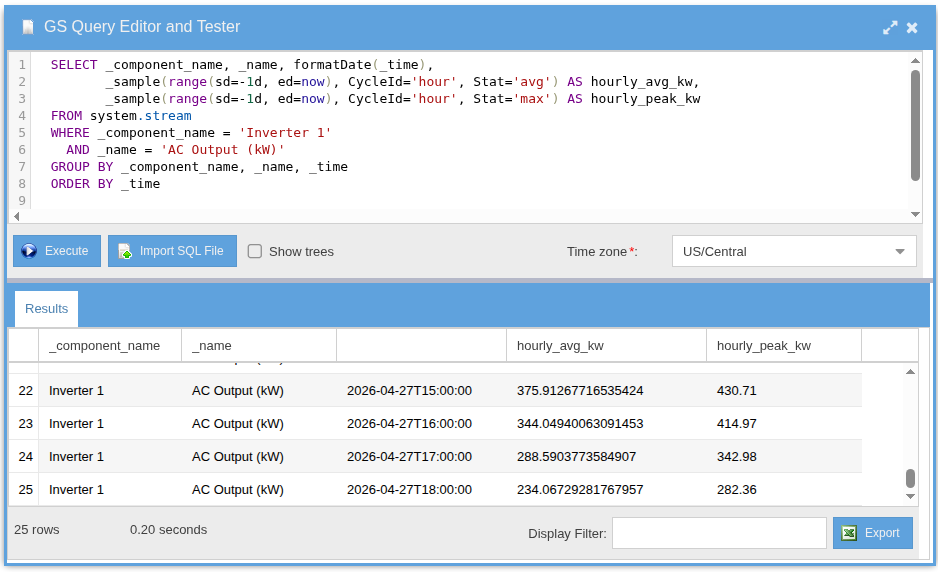
range(sd=-1d, ed=now), CycleId='hour', Stat='avg'.See How the Engine Runs Your Query
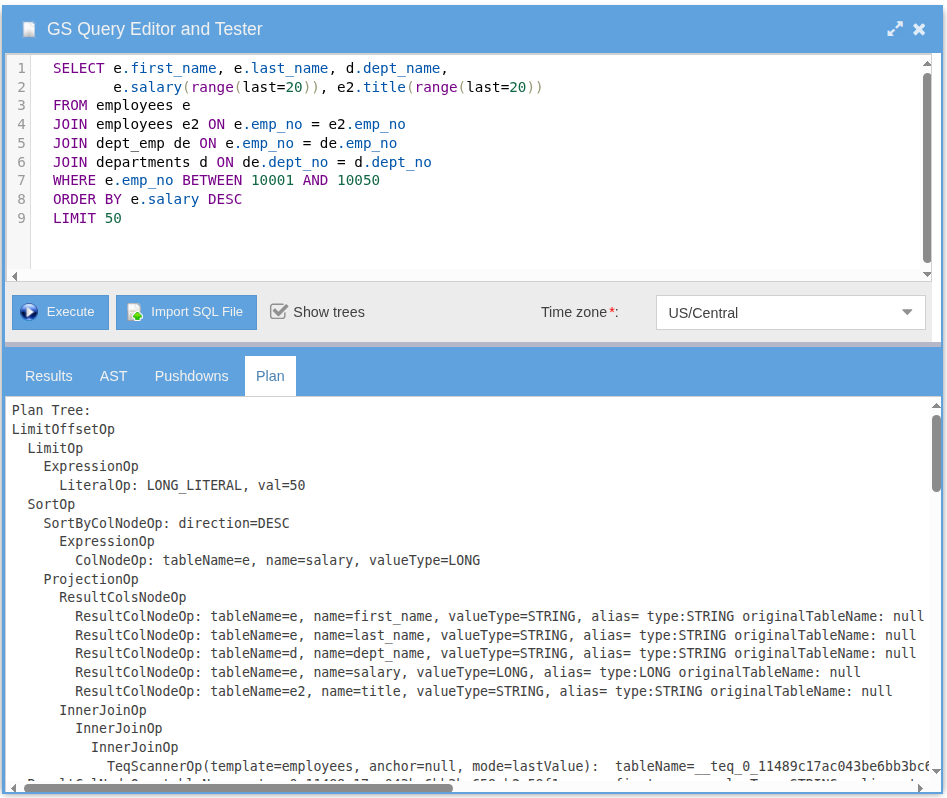
Check the Show trees box in the query editor and three trees print before the results —
the parsed AST, the optimized Pushdown plan, and the Physical Plan with the
operators that will execute (IndexScannerOp, JoinOp, FilterOp,
ProjectionOp, SortOp, and others). No black box.
TEQ™ — Temporal Entity Query
Query your semantic model. Use component template IDs as table names and stream IDs as column names. Entity-level results with temporal extensions built in.
Same Question. Fewer Joins.
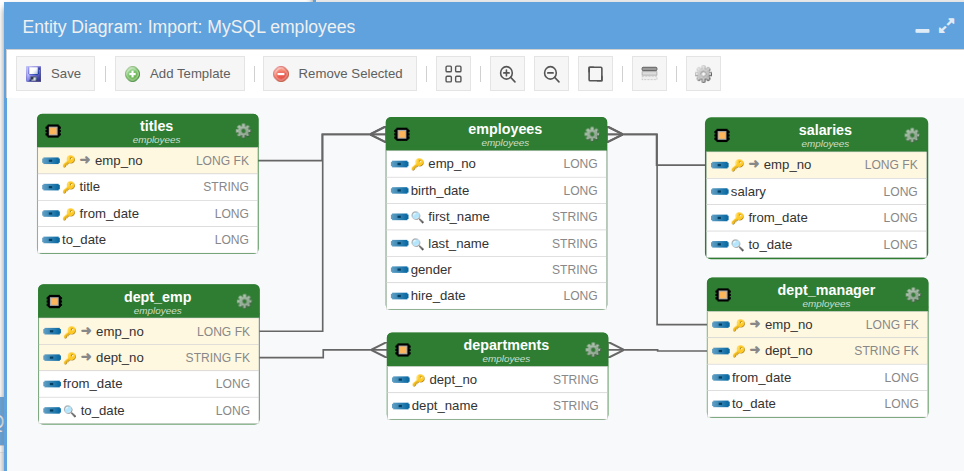
Two imports of MySQL's employees sample database. On the left, the original normalized schema.
On the right, the AI-collapsed version — salaries and titles are no longer
child tables, but temporal streams hanging directly off employees, accessed via the
range(last=20) temporal accessor. Identical results, no FK joins on the temporal children.
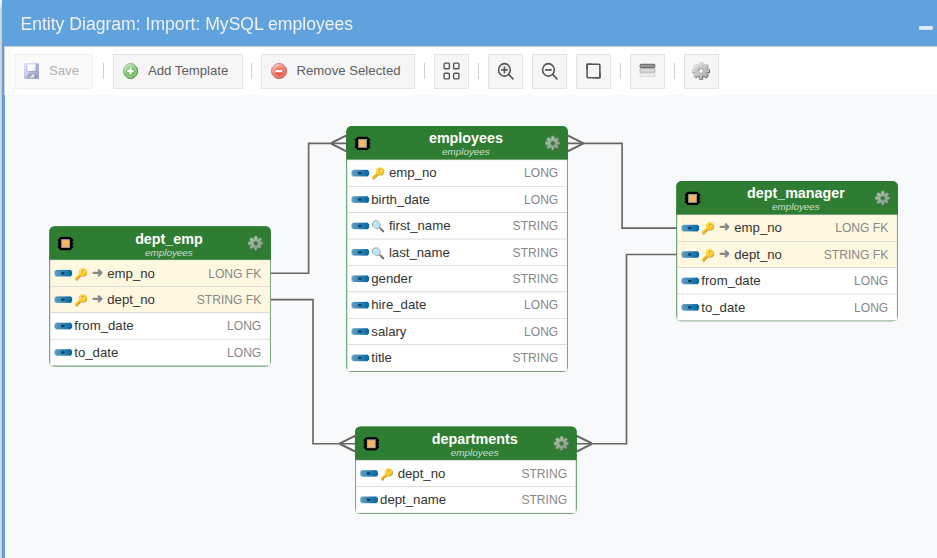
salary and title are streams on employees.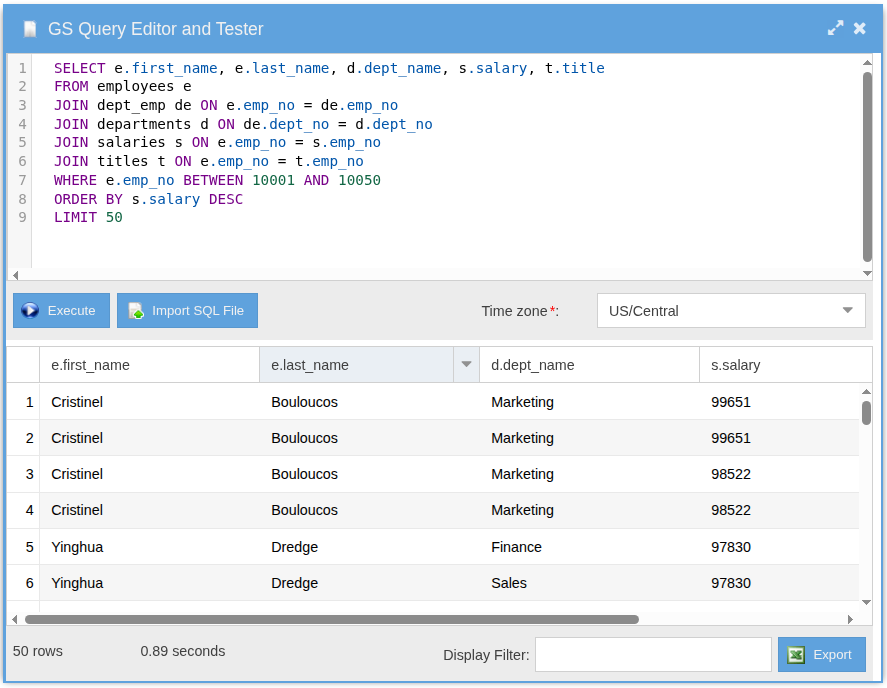
salaries and titles.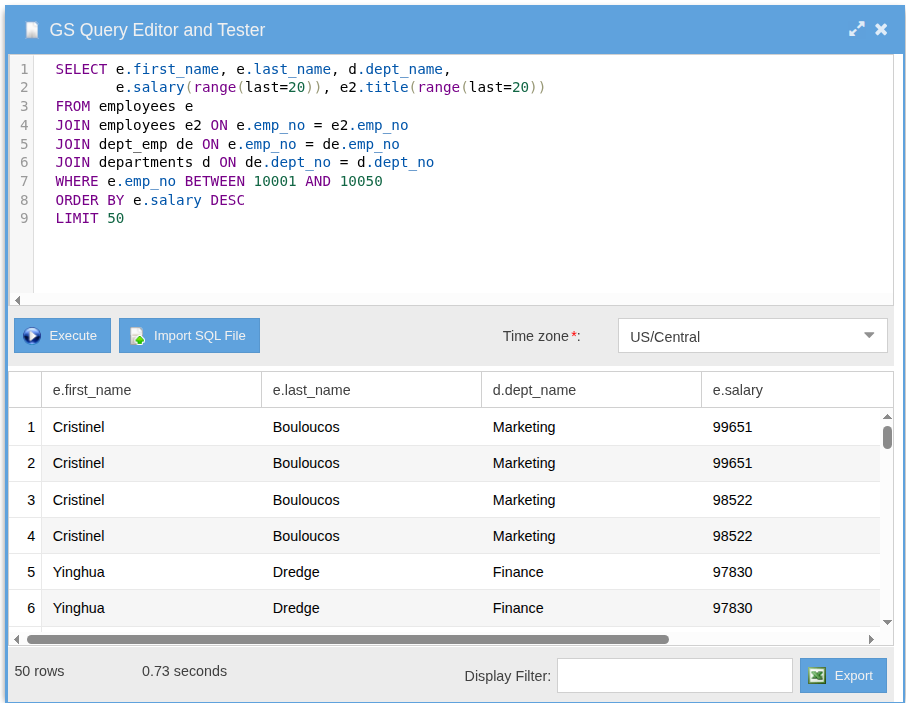
salary and title read as temporal streams via range(last=20).Dashboard Integration
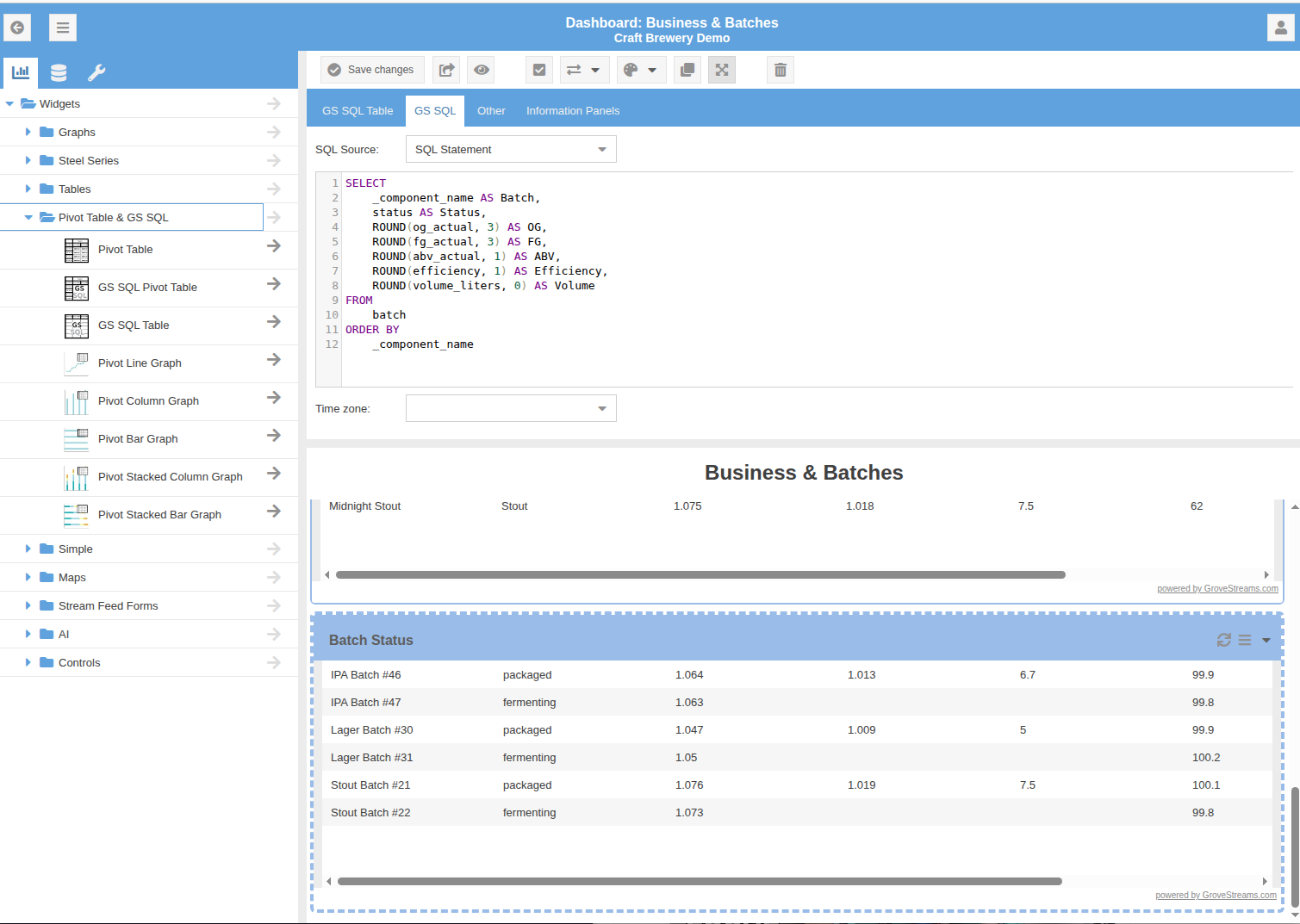
Embed GS SQL results directly in dashboards. Schedule queries to run automatically and display results as auto-refreshing tables or charts.