
AI is native to GroveStreams — not a bolt-on. An agentic AI assistant reads and reasons over your component model and temporal data, built-in time-series forecasting trains models directly on your streams, and schedulable AI agents run on their own cadence to inspect, alert, and act on your data while you sleep. AI is also showing up in supporting places — JDBC import, recommendations, and more.
Three Main Areas
The three primary places AI shows up inside GroveStreams — with more on the way as we extend it into adjacent workflows:
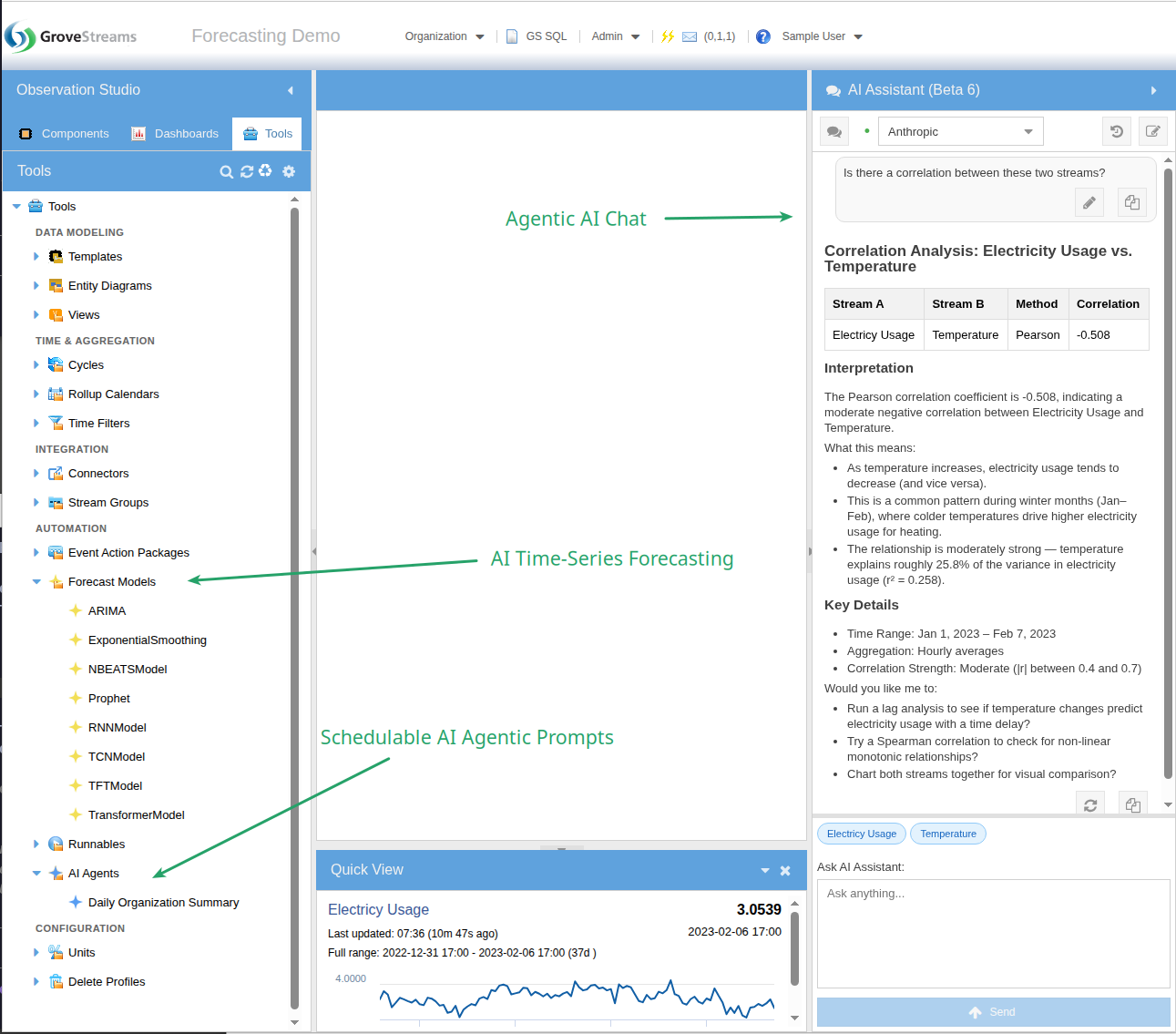
- Agentic Chat — the assistant has tools, reads your component model, and runs GS SQL on your behalf. Ask "what streams correlate with Inverter 1's output?" and it runs the correlation detector for you. Use it to vibe-design your org — describe your domain and let the assistant generate templates, components, dashboards, and derivations.
- AI Time-Series Forecasting — train forecasting models directly on your stream data using the integrated Darts library. Eight model types, schedulable retraining, forecasts written back as new streams.
- Schedulable AI Agents — standing AI workflows that run on their own cadence, inspect your data, and report or act. Anomaly sweeps, weekly KPI summaries, predictive maintenance triage — all unattended.
Vibe-Design Your Org
Describe your domain in natural language and let the agentic assistant build it for you. One prompt → templates, components, derived streams, realistic historical data, and a working dashboard. Iterate by talking back to it — "add a tank temperature trigger," "give batch a recipe FK," "build a brewmaster dashboard." The org takes shape in real time.
1. The Prompt
A single prompt to the agentic assistant: build a complete demo organization for a regional trucking & logistics fleet. Templates, ~40 components, 7 days of realistic telemetry, derived streams, and a 7-widget dashboard — all from this one ask.
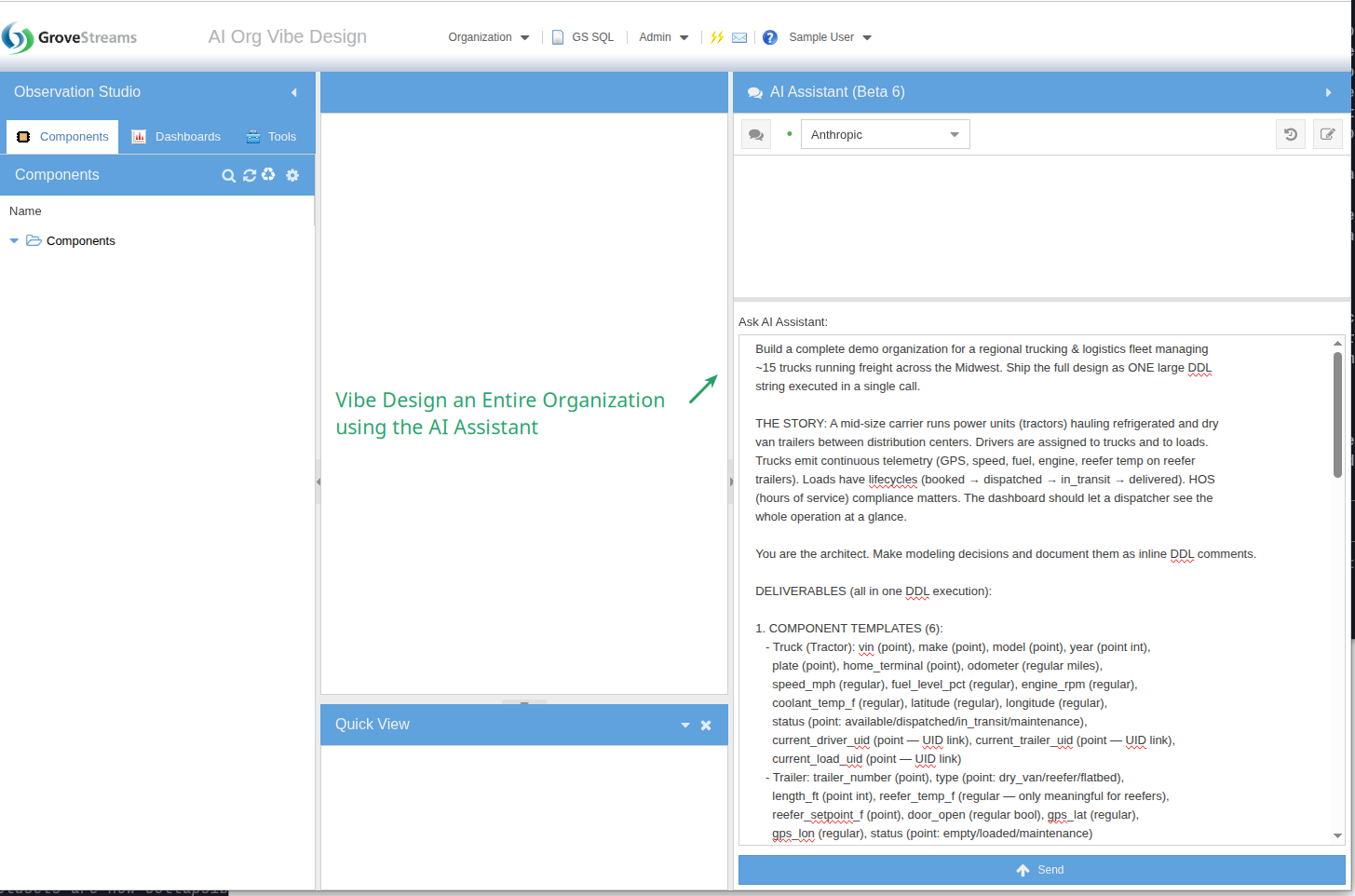
Read the full prompt
Build a complete demo organization for a regional trucking & logistics fleet managing
~15 trucks running freight across the Midwest. Ship the full design as ONE large DDL
string executed in a single call.

THE STORY: A mid-size carrier runs power units (tractors) hauling refrigerated and dry
van trailers between distribution centers. Drivers are assigned to trucks and to loads.
Trucks emit continuous telemetry (GPS, speed, fuel, engine, reefer temp on reefer
trailers). Loads have lifecycles (booked → dispatched → in_transit → delivered). HOS
(hours of service) compliance matters. The dashboard should let a dispatcher see the
whole operation at a glance.

You are the architect. Make modeling decisions and document them as inline DDL comments.

DELIVERABLES (all in one DDL execution):

1. COMPONENT TEMPLATES (6):
   - Truck (Tractor): vin (point), make (point), model (point), year (point int),
     plate (point), home_terminal (point), odometer (regular miles),
     speed_mph (regular), fuel_level_pct (regular), engine_rpm (regular),
     coolant_temp_f (regular), latitude (regular), longitude (regular),
     status (point: available/dispatched/in_transit/maintenance),
     current_driver_uid (point — UID link), current_trailer_uid (point — UID link),
     current_load_uid (point — UID link)
   - Trailer: trailer_number (point), type (point: dry_van/reefer/flatbed),
     length_ft (point int), reefer_temp_f (regular — only meaningful for reefers),
     reefer_setpoint_f (point), door_open (regular bool), gps_lat (regular),
     gps_lon (regular), status (point: empty/loaded/maintenance)
   - Driver: name (point), cdl_number (point), cdl_expiry (point datetime),
     home_terminal (point), hos_drive_remaining_min (regular),
     hos_duty_remaining_min (regular), miles_today (regular),
     status (point: off_duty/sleeper/driving/on_duty), current_truck_uid (point — UID link)
   - Load: load_number (point), customer_uid (point — UID link), origin (point),
     destination (point), pickup_window_start (point datetime),
     delivery_window_start (point datetime), weight_lbs (point), commodity (point),
     rate_usd (point), miles_planned (point), miles_completed (regular),
     temp_required_f (point — for reefer loads), status (point text — see lifecycle above),
     assigned_truck_uid (point — UID link), assigned_driver_uid (point — UID link)
   - Customer: name (point), account_number (point), contact (point),
     credit_rating (point: A/B/C), open_loads (regular int), ytd_revenue (regular usd)
   - Terminal: name (point), city (point), state (point), latitude (point),
     longitude (point), trucks_assigned (regular int)

2. COMPONENTS (~40 instances):
   - 3 terminals: Chicago IL, Indianapolis IN, St. Louis MO
   - 15 trucks: mix of Freightliner Cascadia, Peterbilt 579, Kenworth T680, model years
     2019-2024. Assign to terminals.
   - 12 trailers: 7 reefers, 4 dry vans, 1 flatbed
   - 18 drivers (more drivers than trucks — some off-duty)
   - 8 customers across food/retail/manufacturing
   - 12 loads in various lifecycle states: 2 booked, 3 dispatched, 5 in_transit,
     2 delivered today

3. HISTORICAL DATA (last 7 days, realistic patterns):
   - GPS lat/lon: trucks in transit follow plausible interstate paths between their
     origin/destination cities. Stationary trucks stay at terminals. 15-min samples.
   - Speed: 0 mph at stops, 55-68 mph on interstate, with realistic accel/decel patterns.
     5-min samples for the in-transit trucks.
   - Fuel level: declining slowly while driving (~6-7 mpg consumption), step-up jumps
     when refueled. 15-min samples.
   - Odometer: monotonically increasing in line with miles driven.
   - Reefer temps: -10°F to 35°F holding within ±3°F of setpoint, with brief spikes when
     doors open. 5-min samples for active reefer loads.
   - HOS clocks: drive_remaining counts down during driving status, resets after 10-hour
     break. Driver miles_today resets at midnight.
   - Vary patterns per truck so the dashboard shows real diversity.

4. DERIVED STREAMS:
   - mpg_rolling = miles per gallon over rolling window per truck
   - on_time_pct = % of delivered loads on-time per customer

5. DASHBOARD ("Fleet Operations") with 7+ widgets:
   - Map widget: live truck positions colored by status (available/in_transit/maintenance)
   - Multi-line chart: speed traces for the 5 currently in-transit trucks, last 24h
   - Multi-line chart: reefer temperatures vs setpoint for active reefer loads, last 24h
     (compliance story — flag any deviation > 5°F)
   - KPI tiles: trucks in transit, loads delivered today, on-time delivery %, avg fleet
     MPG, drivers approaching HOS limit (< 60 min remaining)
   - Table: active loads with load #, customer, origin → destination, ETA, % complete,
     assigned driver, assigned truck
   - Table: drivers with status, current truck, HOS remaining, miles today
   - Status grid of all 15 trucks: number, status, current location, fuel %, driver

EXECUTION RULES:
- Step 1: Read the GS SQL DDL reference (gsql_llm_ddl_reference) to confirm syntax for
  CREATE TEMPLATE, CREATE COMPONENT, INSERT INTO STREAM with historical timestamps,
  derived stream formulas, CREATE DASHBOARD, and widget syntax. Do not guess.
- Step 2: Compose the full DDL in your scratchpad — templates → components → derived
  streams → INSERT samples → dashboard. Comment each section.
- Step 3: Execute the entire DDL in ONE call.
- Step 4: Verify: count components per template, count of samples in one telemetry
  stream, confirm the dashboard exists.
- Step 5: Report a one-paragraph summary plus the dashboard link.

CONSTRAINTS:
- Don't ask clarifying questions — pick sensible values and note them in comments.
- Anchor timestamps to "now minus N minutes/hours" — never hardcoded dates.
- If a section fails, fix that section and continue — do not abandon the whole build.
- Realistic value ranges only: speeds 0-75 mph, fuel 0-100%, reefer -20°F to 40°F,
  coolant 180-220°F, RPM 600-1800.
2. What the Agent Built
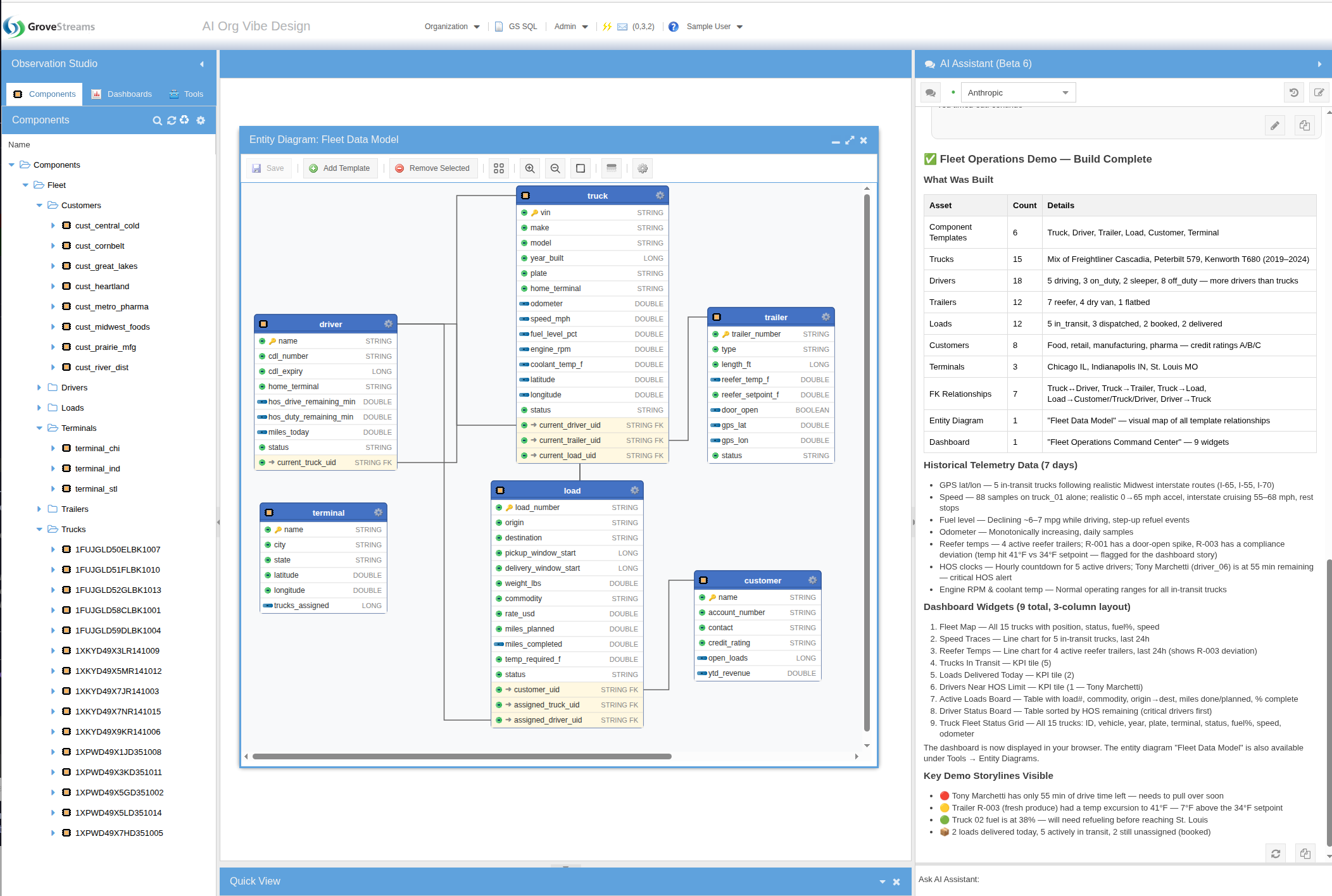
The agent read the GS SQL DDL reference, composed the full DDL in its scratchpad, and executed it in a single call — templates, components, derived streams, seven days of realistic historical samples, and a multi-widget dashboard.
3. The Generated Dashboard — and the Refinement Loop
The "Fleet Operations" dashboard the agent built — KPI tiles, multi-line charts, active-load and driver tables, and a truck status grid — rendered from real data produced by the same DDL execution. And it didn't have to be one-shot: the contents tree on the left shows multiple dashboard versions, and the chat panel on the right shows how the user iterated with the agent to refine widgets, fix layout, and add more views.
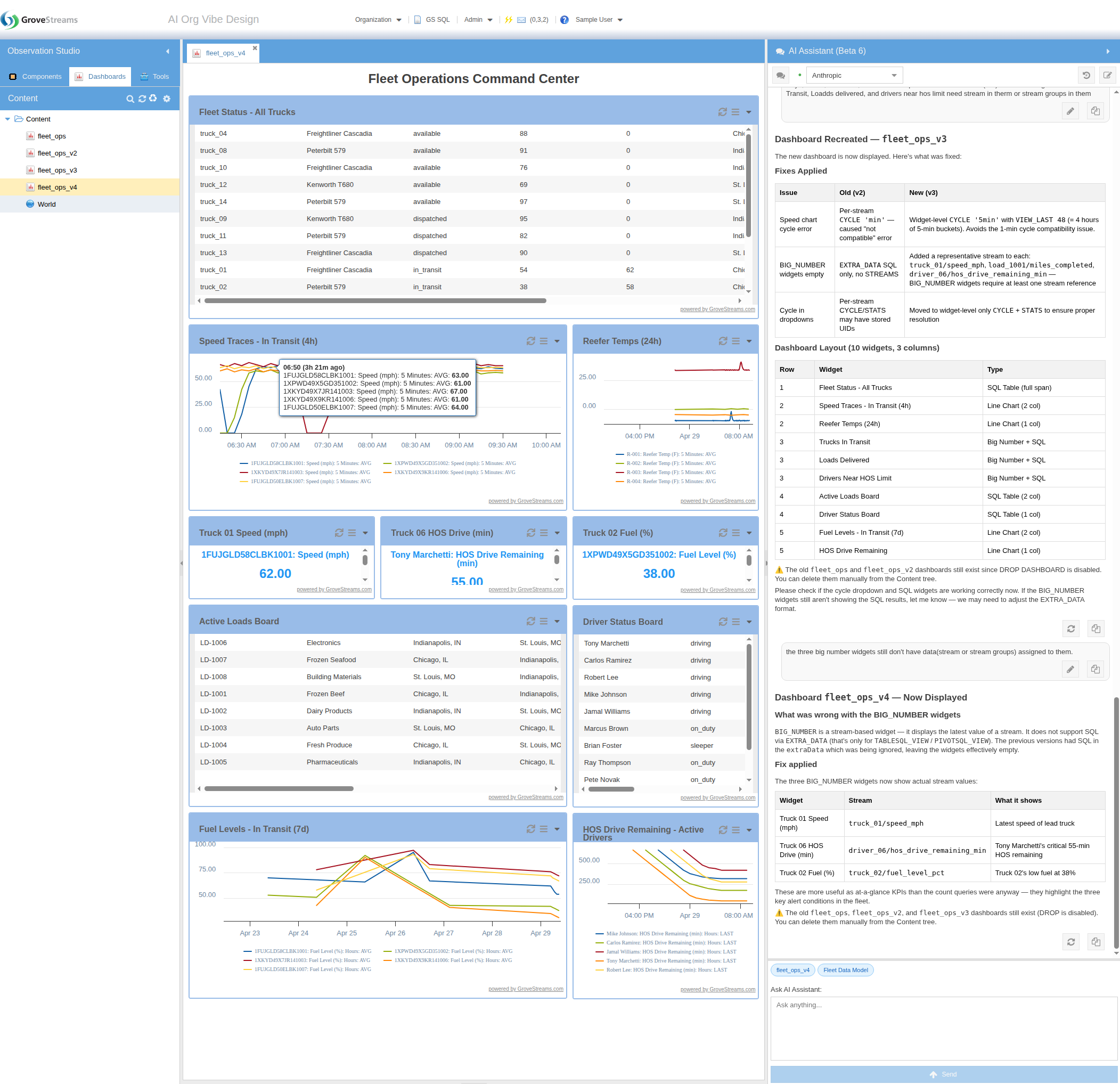
Chart Your Selection — Inline, Live
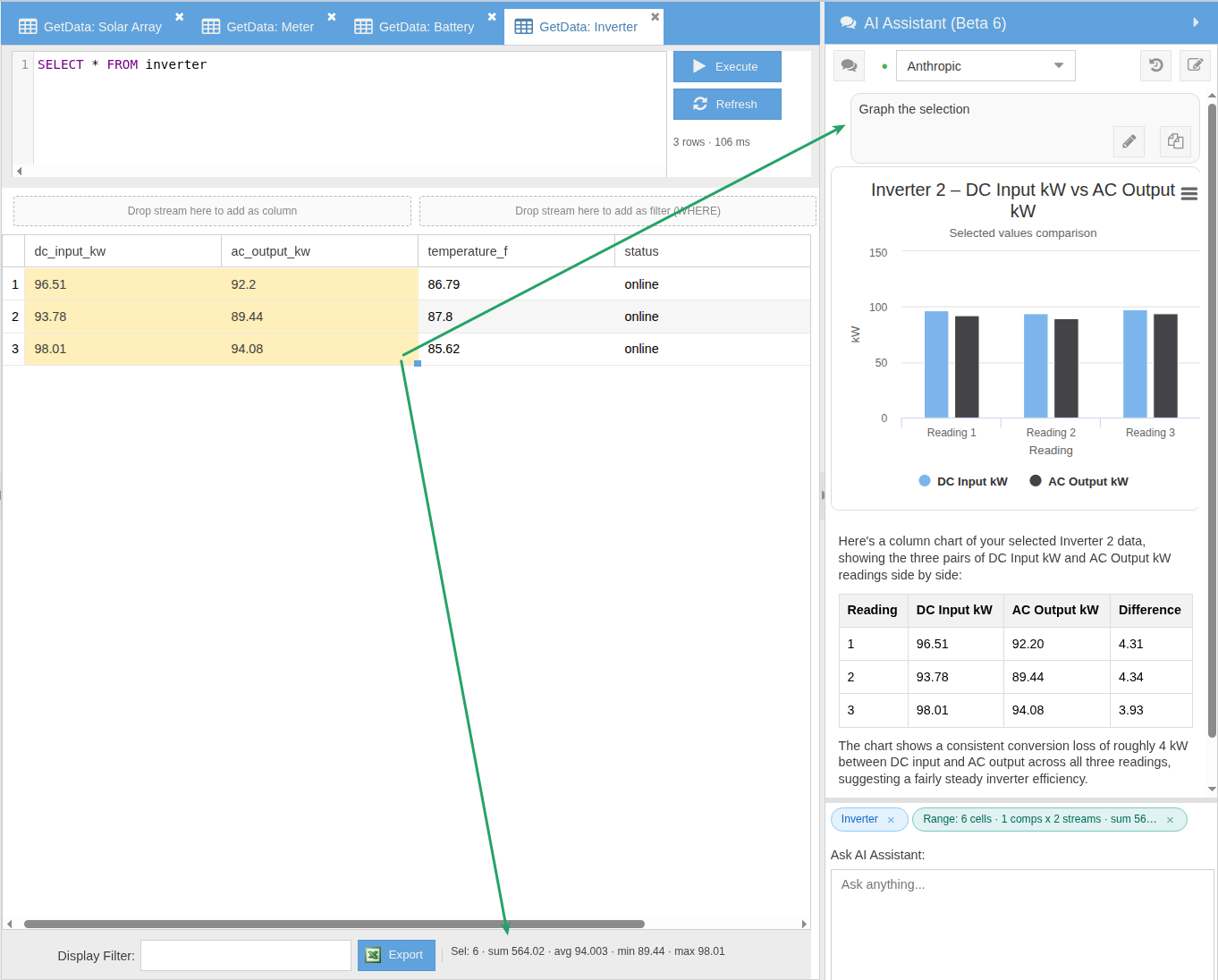
Select cells in a GetData result and ask the assistant to chart them. The selection flows in as a single Range context chip (every value, every component, every stream) and the assistant renders an interactive Highcharts chart directly in the chat — not a screenshot, not a separate tool, not a tab switch. Hover the bars, read the values, ask a follow-up. The footer toolbar live-computes count, sum, average, min, and max as you adjust the selection.
Four LLMs to Choose From
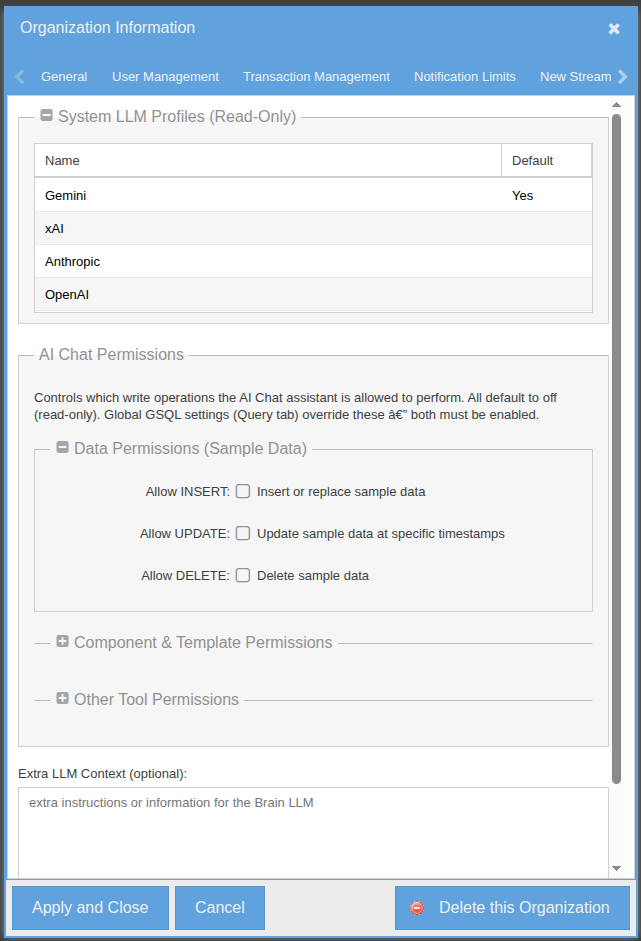
GroveStreams provides four leading commercial LLMs — OpenAI, Anthropic, Google Gemini, and xAI. No API keys to manage, no provider accounts to set up. Pick whichever you want from a dropdown at the top of the chat. The org-level configuration lists which providers are available (read-only), grants the assistant its GS SQL data-access rights, and lets you extend the assistant's system context with org-specific guidance.
Schedulable AI Agents
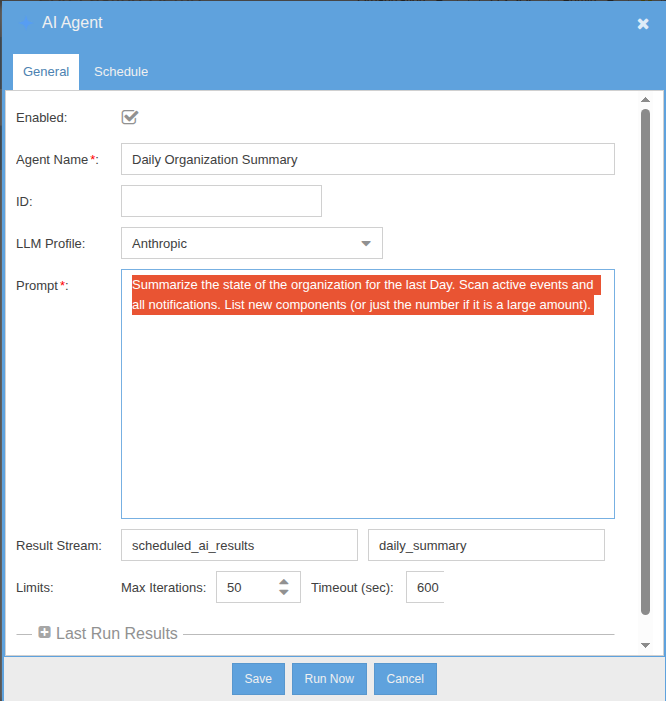
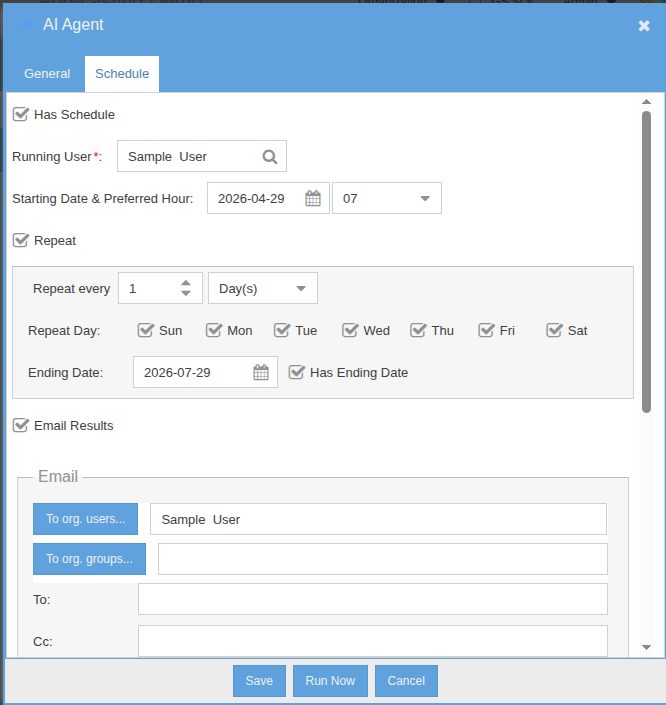
Schedulable agents are standing AI workflows that run on their own cadence. Define the prompt, set the schedule, and decide what happens with the result — email, notification, or write-back to a stream. The agent is fully agentic: it has access to the same tool set as the chat assistant and decides which tools to invoke on its own. Use them for nightly anomaly sweeps, weekly executive summaries, or any inspection task that doesn't need a human in the loop.
AI Time-Series Forecasting
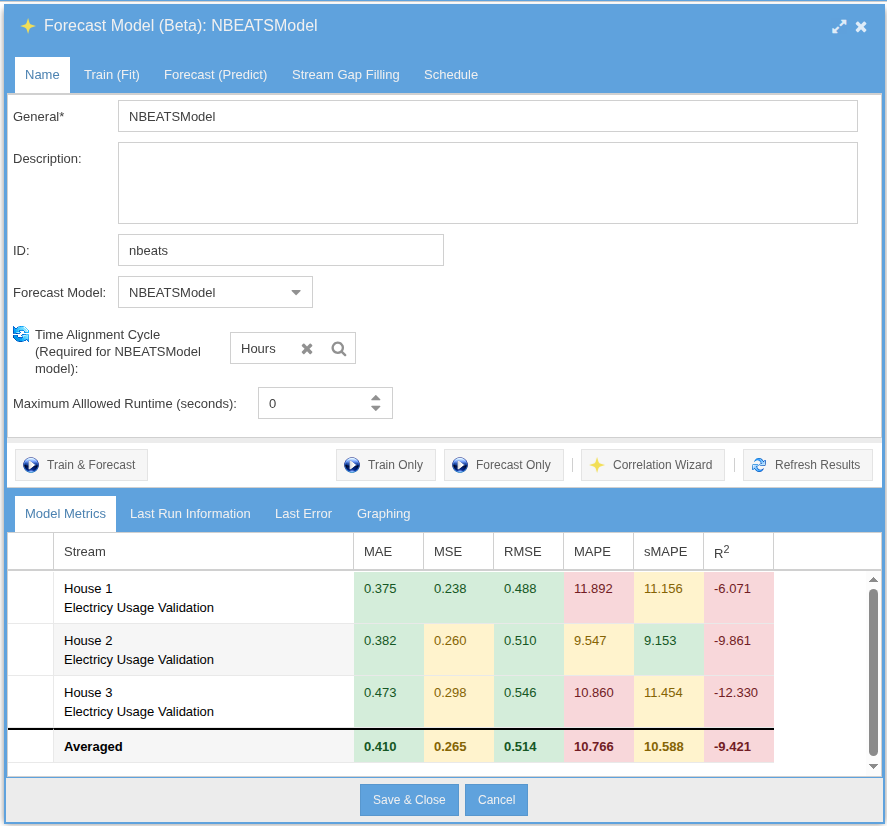
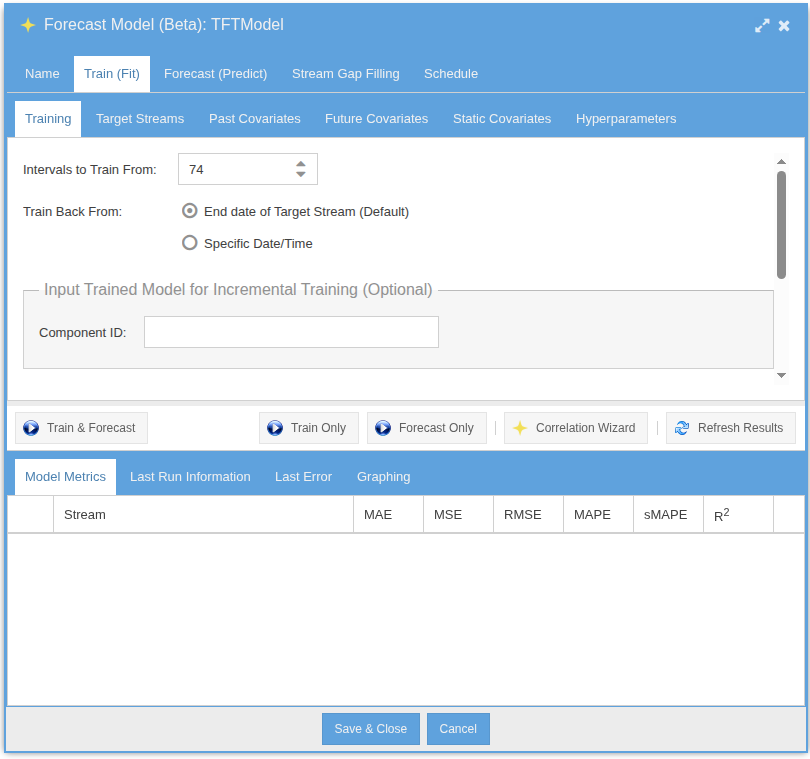
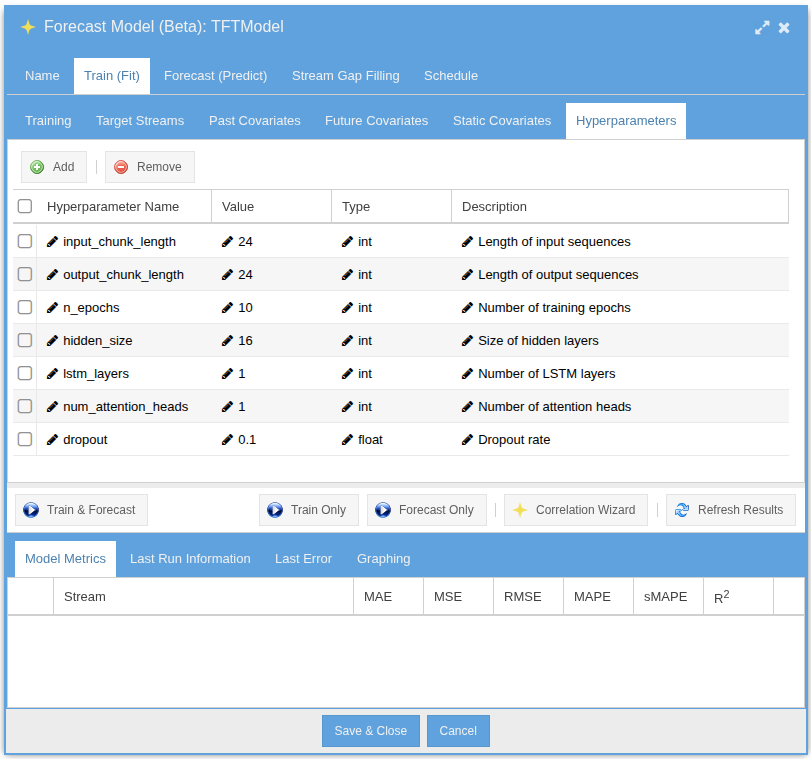
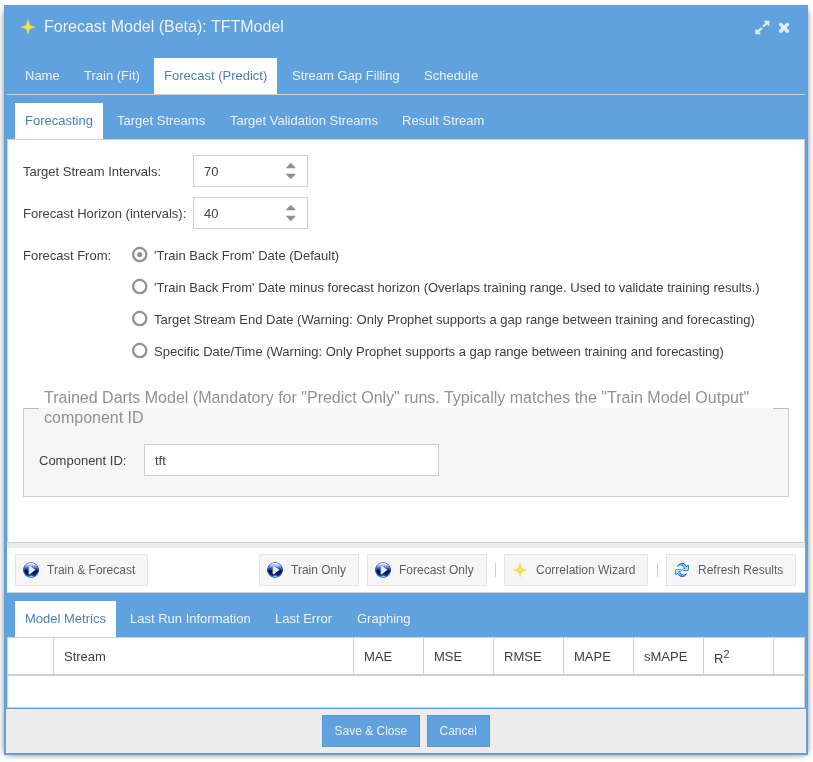
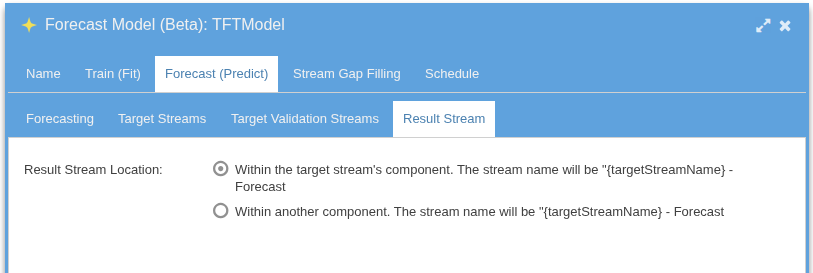
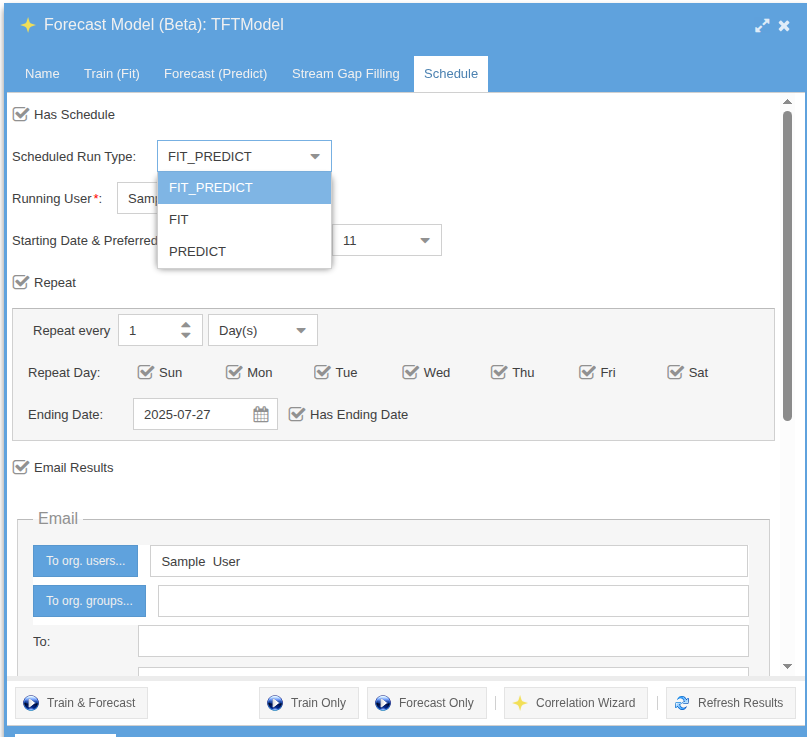
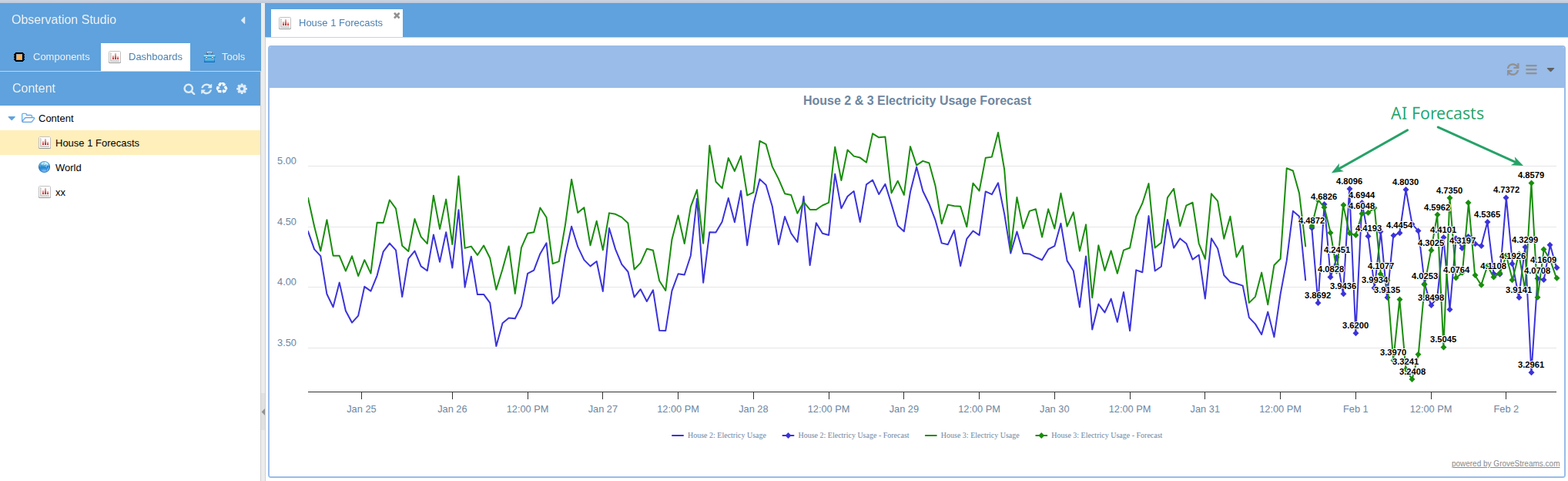
Train forecasting models directly on your temporal data using the integrated Darts library. Choose from TFT, N-BEATS, ARIMA, Prophet, TCN, Transformer, Exponential Smoothing, and RNN. Models train on historical stream data and produce forecast streams that update automatically.
Definition & Training Setup
Fit & Predict
Output Streams & Schedule
Forecast Result on a Dashboard
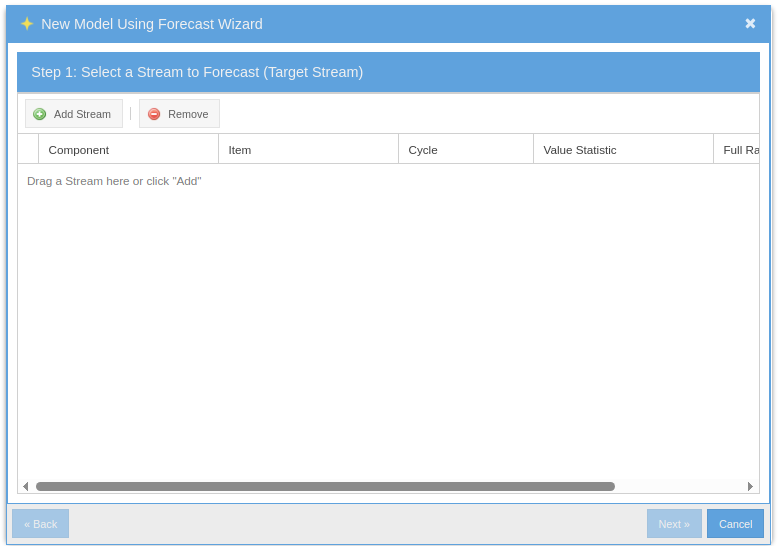
The Quick Path: Model Builder Wizard
Don't want to walk through every tab? The Model Builder wizard captures the common case in a few clicks — pick a stream, pick a model type, pick a horizon — and produces a trained, scheduled model with sensible defaults.
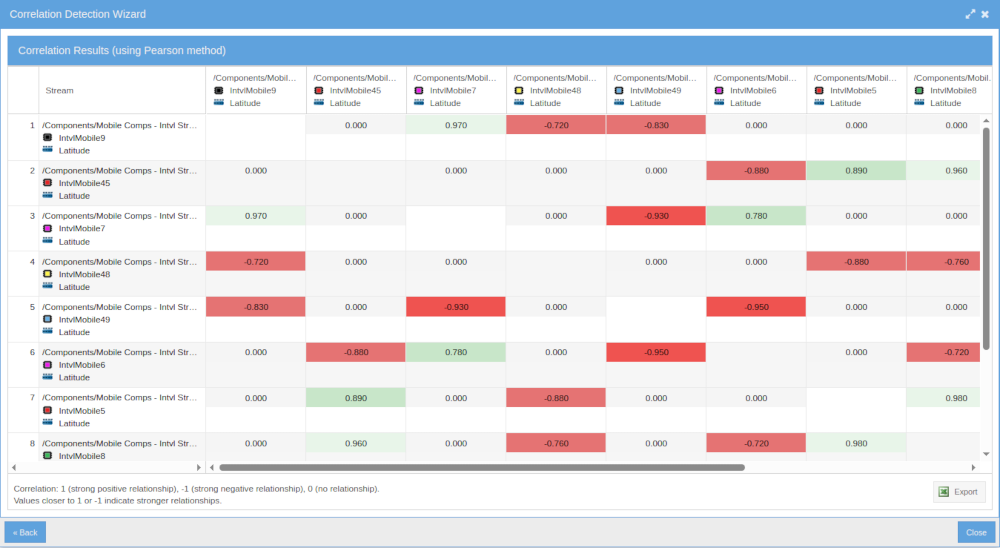
Correlation Detection
Automatically discover relationships between streams. The built-in correlation detector identifies lagged cross-correlations, helping you find hidden dependencies across your data — weather drives generation, demand follows occupancy, machine wear precedes temperature drift.
Bring Your Own AI Agent — MCP Server (Beta)
Connect Claude Desktop, Claude Code, Cursor, ChatGPT Desktop, or any Model Context Protocol client to your GroveStreams org. The agent gets fluent in your schema, your dashboards, and your GS SQL — ready to design, query, and troubleshoot alongside you.
Where ODBC is your application's data driver, MCP is your AI's GroveStreams partner. ODBC for your app, MCP for your AI. Most teams use both: ODBC moves data into runtime BI and dashboards; MCP helps your AI agent design schemas and author queries during development.
Four Tools the Agent Gets
describe_org |
Bootstrap call. Identity, capability flags, an orientation blurb so the agent gets oriented in one round trip. |
run_gsql |
Direct GS SQL execution — same engine ODBC uses. Subject to the org's MCP SQL Policy fence. |
ask_grovestreams |
Delegate a natural-language request to the GroveStreams AI Assistant — schema design, query authoring, FK derivations, dashboards, troubleshooting. Sticky multi-turn within a session. |
send_samples |
Temporal Wire ingestion. No LLM in the loop, so high-volume writes don't bill tokens. |
Resources ground the agent on real GroveStreams docs and your real schemas
— gs://help/{topic} for help docs, gs://org/{orgUid}/template/{id},
/dashboard/{uid}, and /saved-query/{uid} for per-org context.
No more hallucinated GS SQL syntax.
Per-Org Controls
Owners and admins enable MCP from the AI Assistant & MCP tab in Organization
Settings: master toggle, per-tool exposure, an MCP SQL Policy fence (Read / DDL / DML /
System tables) that constrains all SQL routed through MCP including assistant
delegation, per-session token budgets, and a dropdown to pick which Agent Profile
ask_grovestreams uses.
Authentication is per-user via OAuth 2.1 with PKCE and Dynamic Client Registration. Existing GroveStreams RBAC enforces what each connected agent can see and do. MCP usage is tracked as a separate billing line item.
MCP developer reference — full tool schemas, OAuth setup, client config snippets.


