GroveStreams Walchem VTouch Webhook - Quick Start
This tutorial will walk through the creation of a GroveStreams user account, an organization, and the configuration of a Walchem VTouch webhook. A Walchem VTouch account will be configured to push data from the Walchem VTouch cloud into your GroveStreams organization as data arrives.

Walchem is a leading manufacturer of on-line analytical instruments and electronic metering pumps. Their mission is to provide the integration of sensor, pump and electronic technologies for chemical control.
Step 1: Create a Free GroveStreams User Account and Organization
Open a browser and navigate to the GroveStreams registration page and sign up: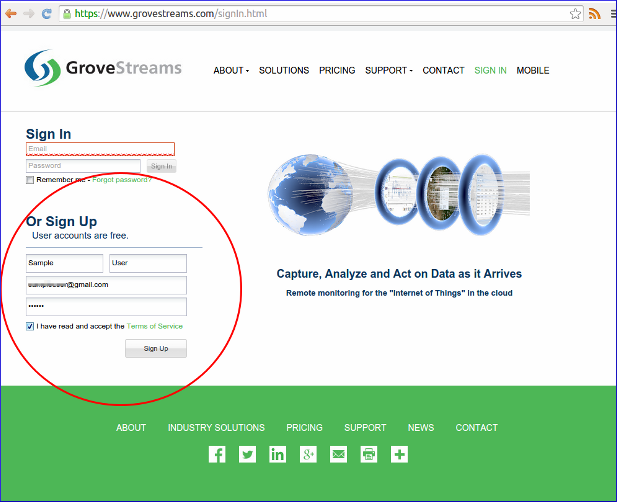
Log into GroveStreams after creating your free user account.
You will be prompted to create an organization. Select Yes:
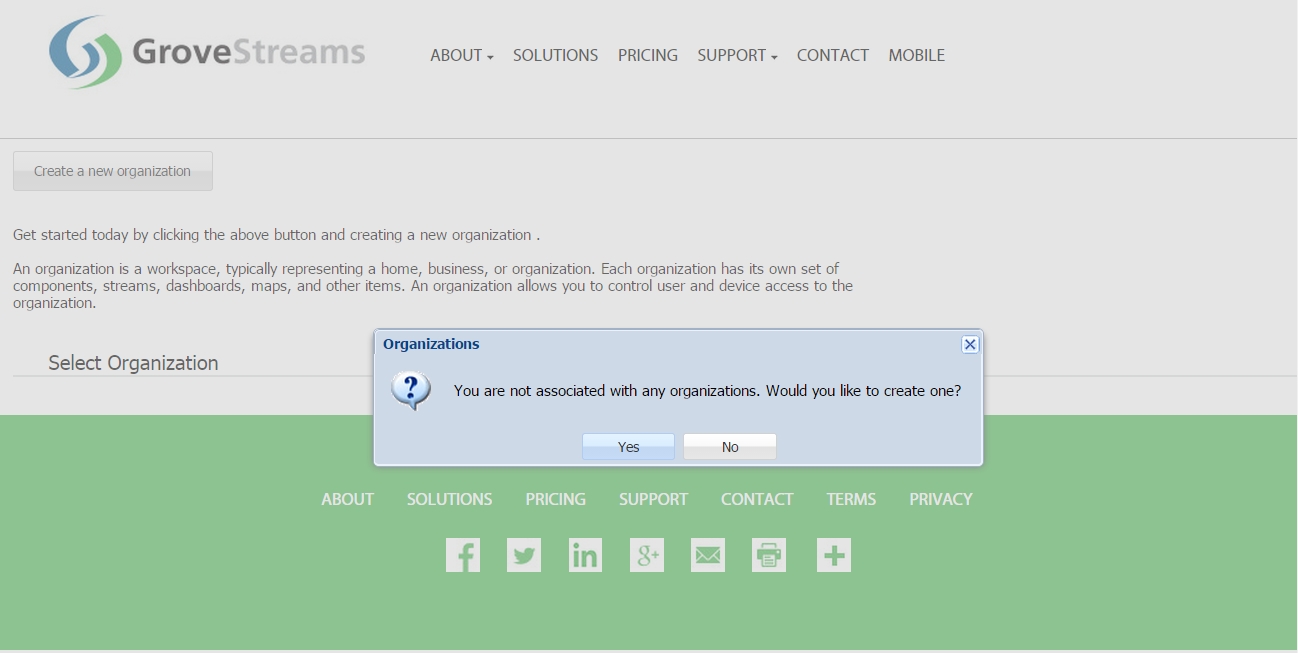
What's an Organization?
An organization is a Workspace, typically representing a home, business, or organization. Each organization has its own set of components, streams, dashboards, maps, and other items. An organization allows you to control user and device access to the organization. You are automatically the "owner" and given full access rights when you create an organization. Other users may invite you to their organizations with rights they give you. All of the organizations, you "own" or are a member of, will appear in your GroveStreams start page (the first page that appears when you sign in).
An organization is a Workspace, typically representing a home, business, or organization. Each organization has its own set of components, streams, dashboards, maps, and other items. An organization allows you to control user and device access to the organization. You are automatically the "owner" and given full access rights when you create an organization. Other users may invite you to their organizations with rights they give you. All of the organizations, you "own" or are a member of, will appear in your GroveStreams start page (the first page that appears when you sign in).
Enter a name for the new organization. It can be any name. Click Create Organization:
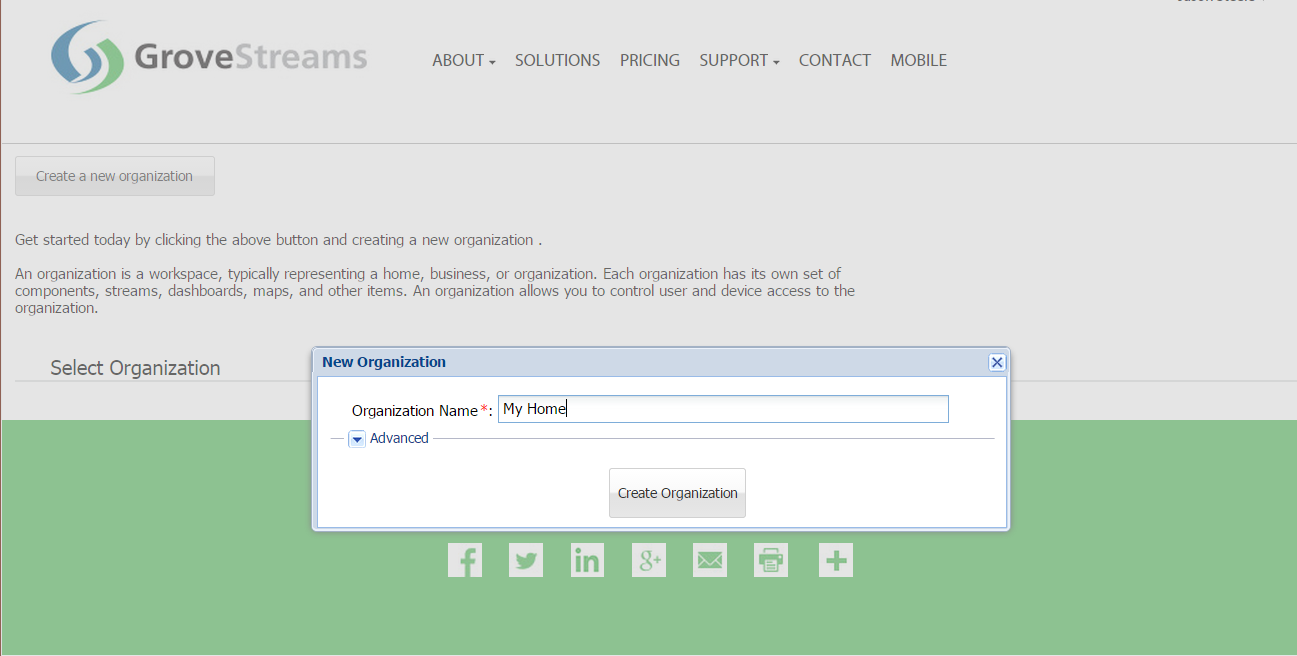
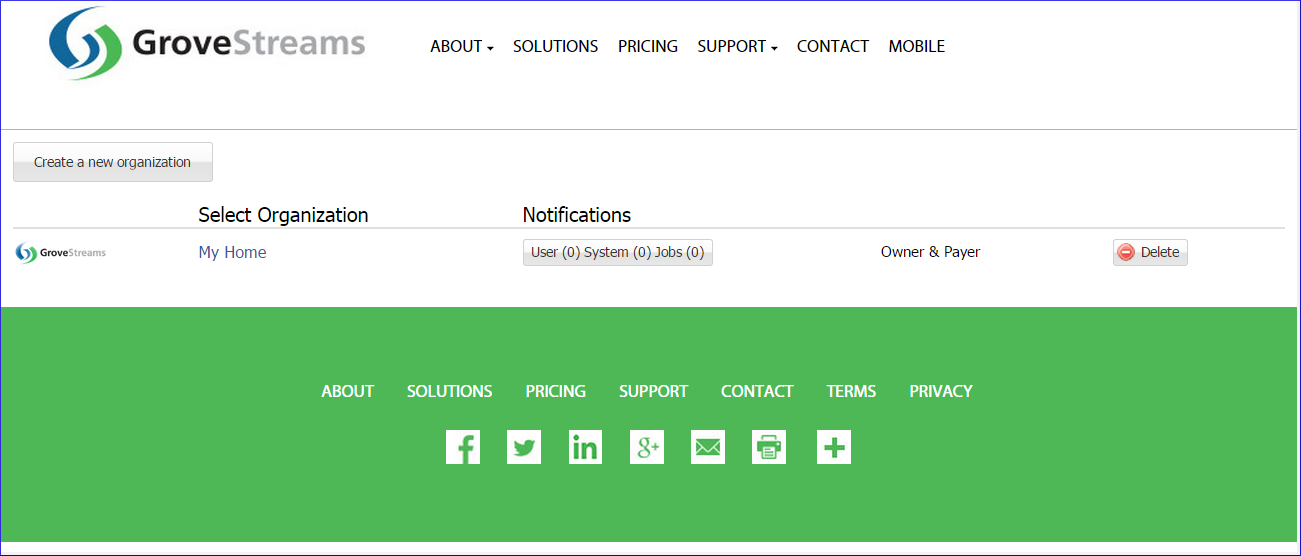
Enter your new organization by clicking on its name:
The API Key can now be retrieved. The API Key is needed later in the tutorial:
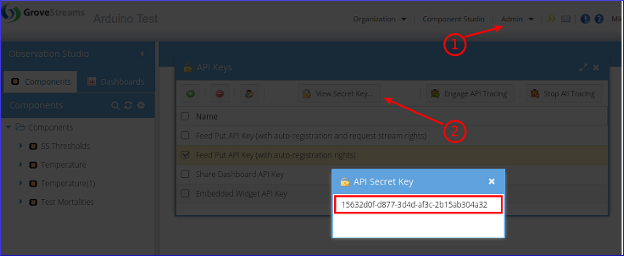
To find your Secret API Key:
1. Select the Admin - API Keys menu option and choose the Feed Put API Key (with auto-registration rights) key
2. Click View Secret Key
3. Select and copy the API Secret Key to the clipboard (Ctrl-c) when you are ready to paste it below.
Step 2: Create the Walchem Webhook
Navigate to Walchem's VTouch login page page. Edit the Controller Admin: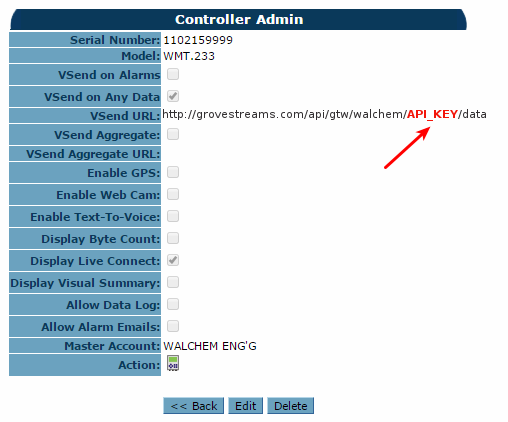
1. Enable VSend on Any Data. Optionally select VSend on Alarms.
2. Edit VSend URL. Enter the URL for the GroveStream Walchem gateway. URL format: http://grovestreams.com/api/gtw/walchem/{API_KEY}/data
Replace {API_KEY} with the api key copied above. Example URL:
There are several optional URL parameters that can be added to the URL:
- folder: Optional. Include a folder location for all new components to be created into.
- tz: Optional. Include a time zone id for all new components. The GroveStreams organization owner's time zone will be used if no time zone is included on the URL.
- gtwTmplId: Optional. A component template ID for all gateway components. All gateway components will be created based on the template ID passed in.
- Example: http://grovestreams.com/api/gtw/walchem/4a97b638-9c98-33a8-89c9-6b00e3026899/data?gtwTmplId=walchemGtw&folder=/Components/New+Components&tz=US/Central
Our Walchem gateway logic queues up PUTs and blasts them into GroveStreams every 10 seconds so it will take a few seconds for the sample to arrive in GroveStreams. We do this to respect the GroveStreams 10 second upload limit per source IP. The source IP is an VTouch cloud server.
Your component will land under the Components folder in Observation Studio. Refresh that folder to see if it has registered.
Congratulations! You have successfully created an Walchem VTouch Webhook that pushes measurements into GroveStreams.
Click on the Dashboards tab to create dashboards and maps. Right click on the component and choose Edit Component to set your component's location, add stream units, create events with notifications, and change other properties. Keep exploring and learning!
Continue with the GroveStreams Temperature Example to learn more about how to make the most of your data with GroveStreams.
How it Works
The Walchem VTouch Cloud pushes data to GroveStreams as it arrives.The data sent to GroveStreams arrives to our webservers in Walchem VTouch's cloud text delimited format. The text includes the sample data, sample time, and several keys so that GroveStreams knows where to store the data being sent.
GroveStreams detected that a component did not exist with the included component ID (the component ID is the Walchem gateway ID or Sensor ID) the first time the VTouch Webhook pushed data to GroveStreams. GroveStreams then created a new component and placed the sample data within a stream.
This example was made simple by allowing GroveStreams to create a default component with default streams. GroveStreams will do its best to determine if the stream type is a number, text, or boolean based on the first sample arriving. Users can view or modify existing component definitions by right clicking on them and selecting Edit Component. Modify any component attributes except the component and stream IDs. Consider using component templates to avoid having to edit every component after it registers.
Troubleshooting
Successful VTouch API calls to GroveStreams should return a status of: HTTP/1.1 200 OK.If the call made it to a GroveStreams server, but an error still occurred, a GroveStreams system notification will be created that contains the error. While in the GroveStreams organization's Observation Studio, click on the Notifications button located in the top toolbar (It looks like an envelope) and select the System tab. Click Refresh to list new notifications.
Any parameter that is part of the URL within the Command needs to be URL encoded. This should only become an issue if you have given any parameters a value with reserved URL characters (such as spaces or commas). There are many free URL encoders on-line that you can use to encode your URL or URL parameters such as freeformatter.com.
Ensure you are not using the same API Secret Key for different organizations. API Secret Keys are only associated with the organization they have been created within and can only be used for that organization.
Having problems or you wish to modify the solution and are not sure what to do?
Post a question on our forum or send us an email and we'll do our best to help you out: support@grovestreams.comHelpful Links
GroveStreams Temperature ExampleGroveStreams Help Center
GroveStreams Simple Feed PUT API
GroveStreams Forum
Walchem VTouch Information


